Enterprise account management dashboard
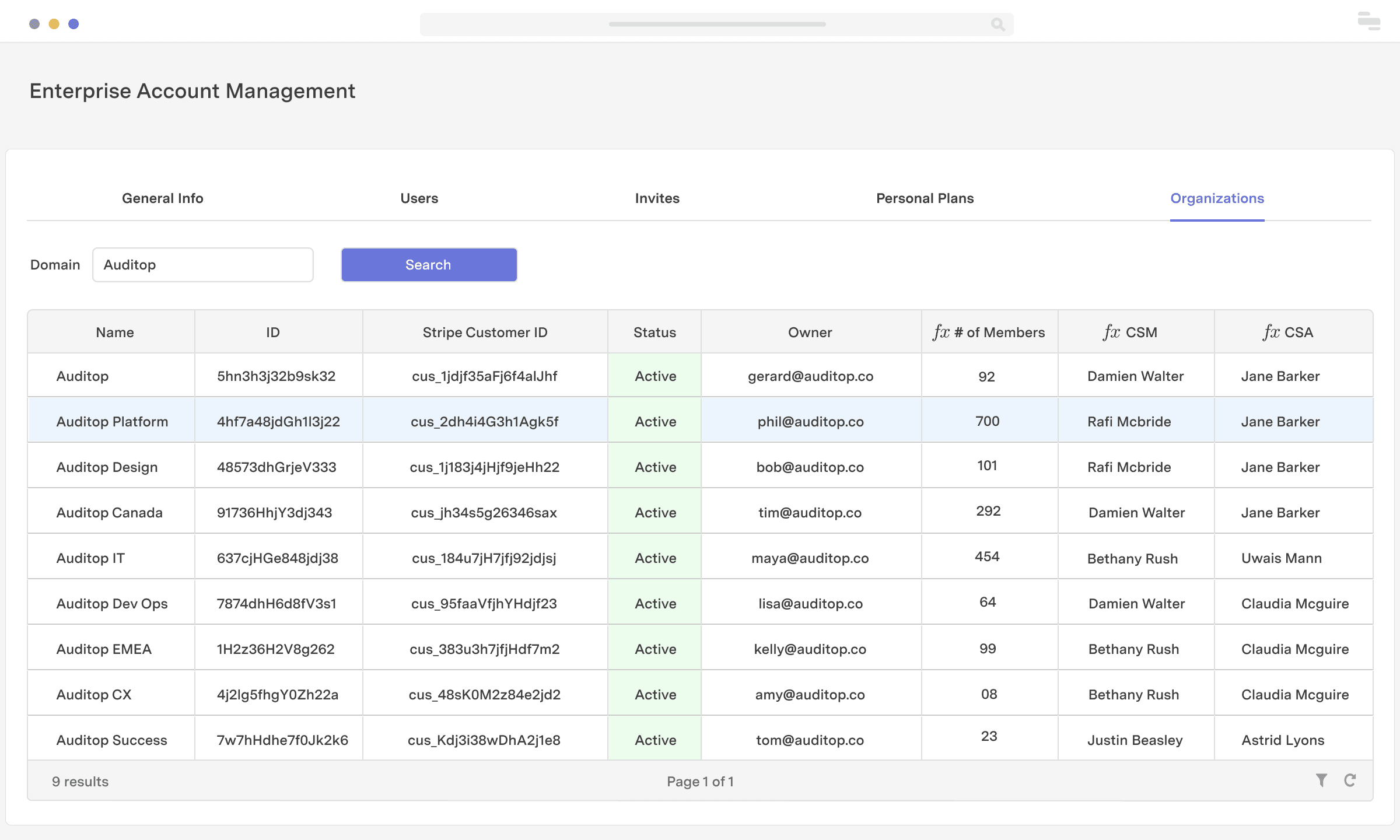
If your product is built for the enterprise, you know how challenging it is to keep track of the various business units and people within an organization of more than 1000 people. With Retool, you can build an app that helps your customer success and sales teams navigate large accounts with ease. Identify an account using a parent domain and give your team visibility into all of the associated business units, team members on personal plans, invites sent, and active users within any given enterprise account.
Industry
End users
Components


Components
Build from a handful of drag-and-drop components
Data source
Power this app by connecting to your salesforce database or any database where your account and customer data is stored.
 1. Create resource
 2. Read data
 3. Connect data with UI
From startups to Fortune 500s, the world's most effective teams use Retool to build custom business software. Our customers







“Retool has enabled us to completely remodel and refine our systems, which in turn has freed up valuable engineering resources equivalent to 2-3 full stack engineers.
Retool has enabled us to completely remodel and refine our systems, which in turn has freed up valuable engineering resources equivalent to 2-3 full stack engineers.
Adam Louie
Senior Director of Business Operations at LeadGenius
Supercharge your business today.
Start building an internal tool or customer portal in under 10 minutes.