Video library
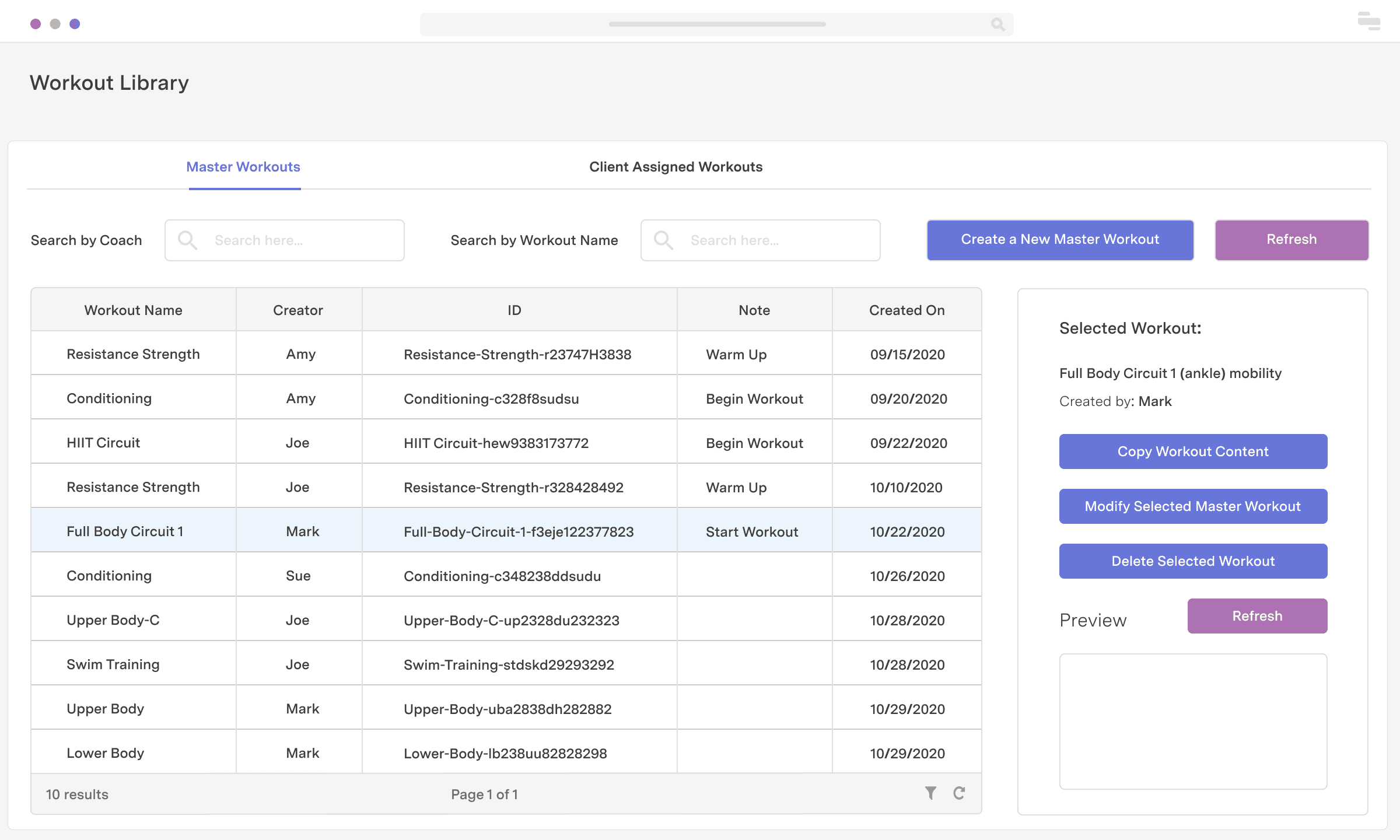
If video content is the core piece of your product offering (e.g., video training courses), it’s helpful to have a single dashboard for managing and packaging that content for customers. With Retool, you can build a content library app to sort, modify, and package video content by dimensions like an instructor, content type, expertise level, and paid vs. free video content.
Industry
End users
Components


Components
Build from a handful of drag-and-drop components
Data source
Your content library is likely stored in a database or maybe even a spreadsheet. Retool integrates with popular databases like PostgreSQL and Google Sheets out of the box.
 1. Create resource
 2. Read data
 3. Connect data with UI
From startups to Fortune 500s, the world's most effective teams use Retool to build custom business software. Our customers







“We would have had to hire 2-3 full-time engineers to build what I did in 30 minutes using Retool.
We would have had to hire 2-3 full-time engineers to build what I did in 30 minutes using Retool.
JJ Maxwell
Co-Founder and CRO at JetFuel
Supercharge your business today.
Start building an internal tool or customer portal in under 10 minutes.